springboot使用smart-doc生成接口文档
恶作剧 2023/6/12 javaSpringBoot
**官方文档:**https://gitee.com/smart-doc-team/smart-doc?_from=gitee_search#add-maven-plugin
# 添加依赖
maven的pom文件添加相关的依赖插件,这里版本我使用的是最新版本
<build>
        <plugins>
            <plugin>
                <groupId>com.github.shalousun</groupId>
                <artifactId>smart-doc-maven-plugin</artifactId>
                <version>2.2.5</version>
                <configuration>
                    <!--指定生成文档使用的配置文件-->
                    <configFile>./src/main/resources/smart-doc.json</configFile>
                </configuration>
                <executions>
                    <execution>
                        <!--不需要在编译项目时自动生成文档可注释phase-->
                        <phase>compile</phase>
                        <goals>
                            <goal>html</goal>
                        </goals>
                    </execution>
                </executions>
            </plugin>
        </plugins>
    </build>
1
2
3
4
5
6
7
8
9
10
11
12
13
14
15
16
17
18
19
20
21
22
2
3
4
5
6
7
8
9
10
11
12
13
14
15
16
17
18
19
20
21
22
# 新建配置文件
新建插件中指定的配置文件smart-doc.json;参考文档 (opens new window)
{
  "serverUrl": "http://127.0.0.1:8080",//服务器地址,非必须。
  "isStrict": false,//是否开启严格模式
  "allInOne": true,//是否将文档合并到一个文件中,一般推荐为true
  "showAuthor":false,//是否显示作者
  "inlineEnum":true,//设置为true会将枚举详情展示到参数表中,默认关闭
  "createDebugPage": true,//是否创建debug页面,可对文档内发送请求
  "coverOld": true,//是否覆盖旧的文件,主要用于mardown文件覆盖
  "style":"xt256",//生成文档的样式
  "requestExample":"true",//是否显示请求案例
  "responseExample":"true",//是否显示响应案例
  "displayActualType":true,//配置true会在注释栏自动显示泛型的真实类型短类名
  "projectName": "smart-doc",//配置自己的项目名称
  "allInOneDocFileName": "index.html",//自定义文档名称
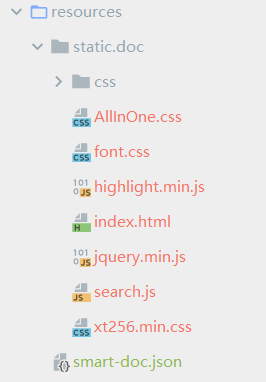
  "outPath": "src/main/resources/static/doc"//设置文档的输出路径
}
1
2
3
4
5
6
7
8
9
10
11
12
13
14
15
16
17
18
2
3
4
5
6
7
8
9
10
11
12
13
14
15
16
17
18
注意:outPath是必须的,其他额外配置项请根据实际情况来配置
# 编写controller
@RestController
@RequestMapping("/smart")
public class smartController {

    /**
     * 添加smart映射
     *
     * @param userName 姓名
     * @return 返回值
     */
    @RequestMapping("/add")
    public String addSmart(String userName) {
        return userName + "添加了一个请求";
    }
}
1
2
3
4
5
6
7
8
9
10
11
12
13
14
15
2
3
4
5
6
7
8
9
10
11
12
13
14
15
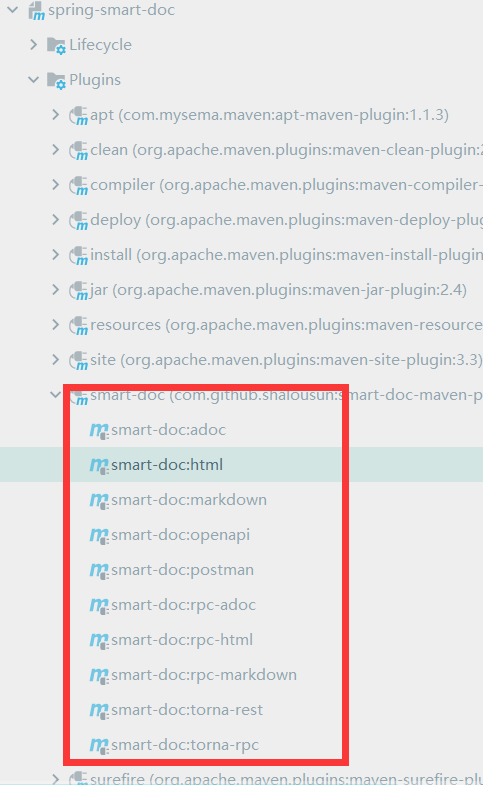
# 运行smart插件生成文档
点击可生成对应文档,包括常用的html,markdown格式文件
# 打开文档
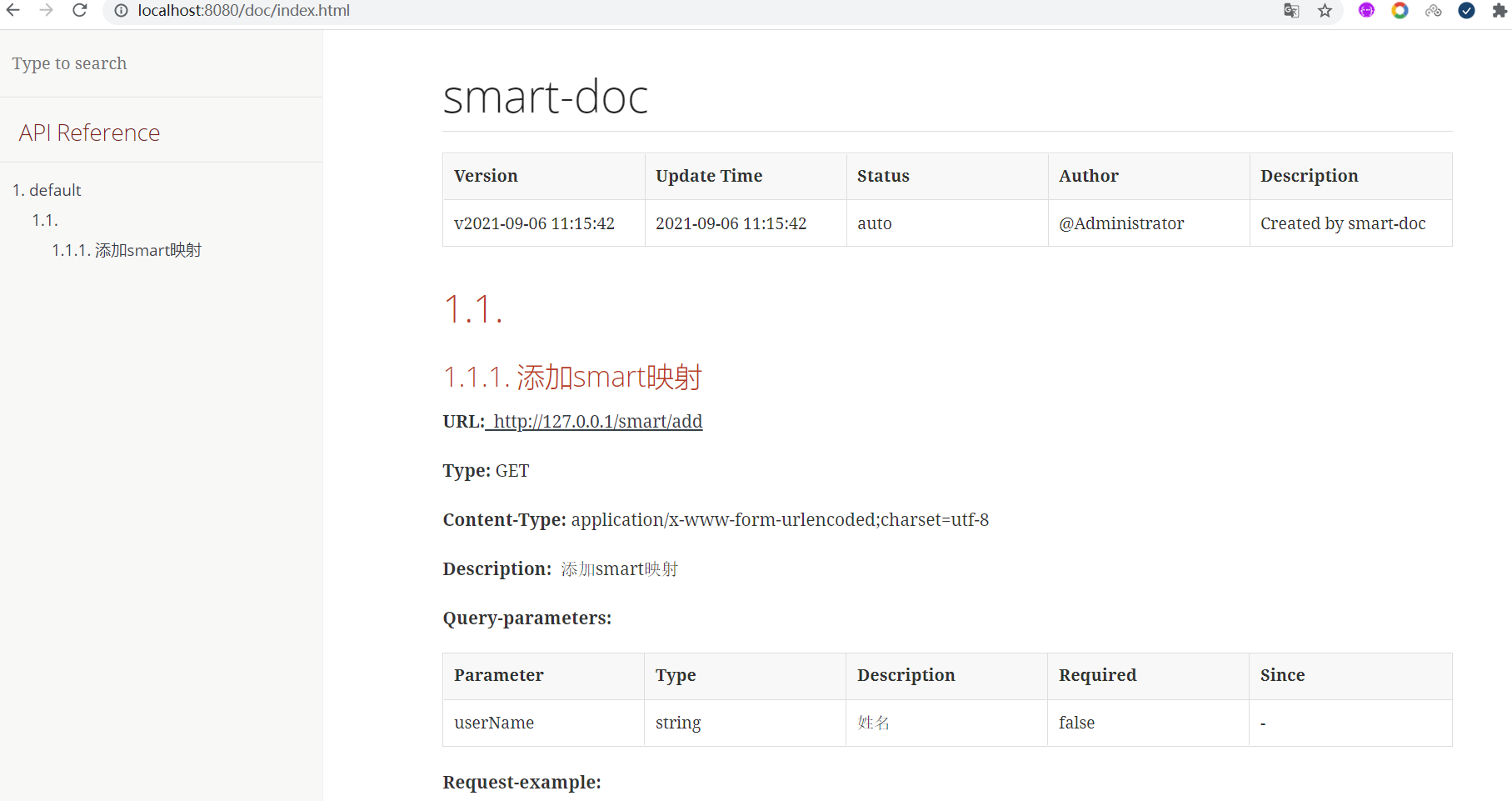
插件运行成功后,配置的输出路径下生成了对应的项目文档,启动项目访问生成文档的静态地址:http://127.0.0.1:8080/doc/index.html